The AI automation total cost of ownership over 12 months is almost never the number on the pricing page. A $18 per user per month AI add-on across 40 people is $8,640 a year, and that is before the base licences it requires, the integration work that makes it useful, the seats nobody logs into, and the renewal waiting at month 12.
You already suspect this. Most comparisons of AI tools stop at the monthly seat price, which is the one number both vendors and buyers find easiest to talk about. This guide does the rest of the arithmetic: the six cost lines that make up an AI automation total cost of ownership, a worked 12-month comparison against a custom build, and a break-even test you can run on your own numbers in about ten minutes. Every list price quoted here comes from the vendor's own pricing page, linked where it appears.
Key Takeaways: Seat price is one of six cost lines. The others are the base licence the AI requires, usage beyond your allowance, integration work, unused seats, and the cost of leaving. Microsoft 365 Copilot is $30 per user per month paid yearly for enterprise and $18 for Business, and both require a separate qualifying Microsoft 365 licence on top. Google folded Gemini into Workspace plans and raised the base plan by $2 per user per month, so an AI line item can move into a bill you were already paying. Only 54% of SaaS licences were actually used in 2025, and 79% of IT leaders met a price increase at renewal, so budget for both. A custom AI agent is worth costing out when the process is specific to your business, the volume is real, and per-seat fees would apply to people who barely touch it.
Why seat price is the smallest part of AI automation costs
Start with what the vendors publish, because it is precise, it is checkable, and it anchors every other line in your AI automation costs.
Microsoft 365 Copilot for enterprise lists at $30.00 per user per month paid yearly, or $31.50 paid monthly. Microsoft 365 Copilot Business, aimed at organisations up to 300 users, currently lists at $18.00 per user per month paid yearly, reduced from $21.00, with that promotional price running through September 30, 2026. Both pages say the same thing in the small print: a separate licence for a qualifying Microsoft 365 plan is required to buy Copilot at all.
That prerequisite is the first cost line most spreadsheets miss. The AI is an add-on to a subscription you also have to hold, and if some of your team sits on a plan that does not qualify, the real price of turning AI on for them is the add-on plus the upgrade.
Google took the other route and it is just as instructive. In its own announcement, Google explained that a Workspace Business Standard customer with a Gemini add-on previously paid $32 per user per month, and now pays $14, "only $2 more than they were paying for Workspace without Gemini". For anyone who had the add-on, that is a large saving. For everyone else, the AI arrived as a $2 per user per month increase on a bill they were already paying, whether or not anybody uses it.
Neither of these is a scandal. They are ordinary vendor economics, and they are the reason a 12-month view beats a monthly one.
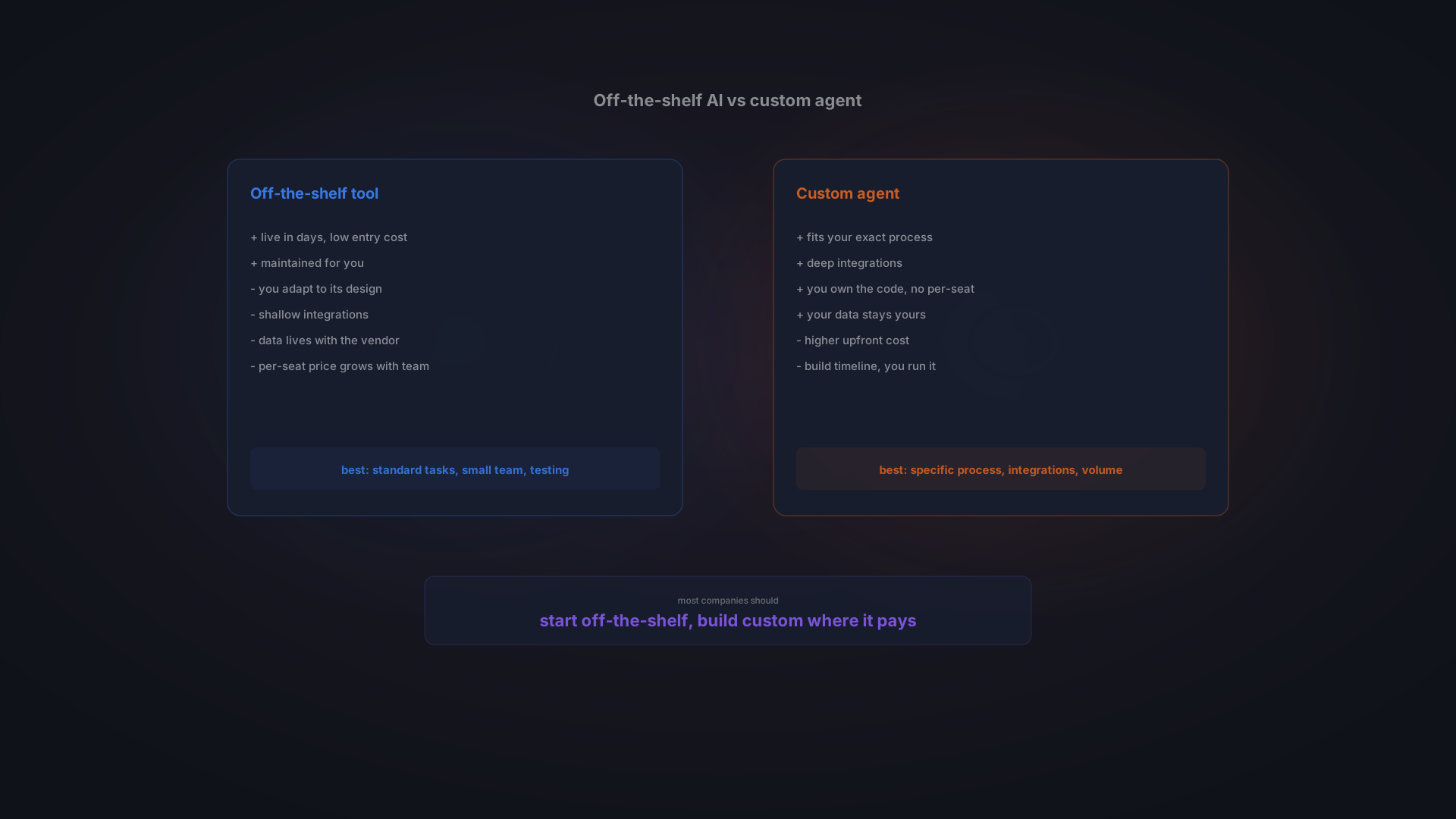
Want the shorter version of this decision? Our comparison of custom AI versus off-the-shelf tools covers fit, control, and lock-in without the arithmetic.
The six cost lines in an AI automation total cost of ownership
Price all six before you commit to either path, because a total that stops at line one is not a budget, it is a quote.
- Seats. Monthly price times headcount times 12. The easy one, and usually the smallest.
- The base licence the AI requires. Copilot needs a qualifying Microsoft 365 plan underneath it. Count any upgrades that qualification forces.
- Usage beyond the allowance. Many AI products meter something: messages, actions, credits, or documents. Ask what happens at 2x your expected volume, and get the answer in writing.
- Integration work. A generic assistant that cannot see your ERP, your CRM, or your document store is a better search box. Making it useful means connecting it, and that is developer days.
- Administration and the seats nobody uses. Somebody sets up permissions, writes the internal guidance, answers the questions, and reviews what the tool is allowed to touch.
- The cost of leaving. Prompts, configurations, and workflows built inside a vendor's product rarely come out. Price the exit before you need it.
Line four is the one that turns a cheap decision into an expensive one. Count it in developer days rather than currency, then price those days at whatever your team or your partner actually charges. Ten days of integration is ten days whether your rate is Prague or San Francisco, and expressing it that way keeps the comparison honest.
The seats you pay for and nobody uses
According to Zylo's SaaS research, licence utilisation across SaaS reached 54% in 2025, up from 47% the year before. Read that the way a finance director would: on average, close to half of what companies buy sits idle. Zylo also reports that 79% of IT leaders met a price increase at renewal in the past 12 months.
Take Martin, an operations manager at a 40-person distributor. The numbers here are a worked example rather than a client case. He buys 40 AI seats at $18 because it is simpler than arguing about who needs one, which is $8,640 for the year. By month three, 18 people use it weekly and the rest have logged in once. He is paying roughly $4,750 a year for the 22 seats that are not doing anything, and at renewal the promotional price ends and the base plan moves as well. Nothing here went wrong. This is what the default path costs.
AI automation total cost of ownership over 12 months: buy or build
Compare the two paths line by line rather than as two single numbers, because one is a subscription and the other is an asset with a running cost. That is also the only way to see the number move as your headcount and volume change.
Cost line | Off-the-shelf AI tool | Custom AI agent |
|---|---|---|
Year one, up front | Low. Seats start at $18 to $30 per user per month. | High. Our published range starts from around 50,000 CZK for one focused automation. |
Cost per extra person | Another full seat, every month, forever. | Usually zero. The agent runs a process, not a person. |
Base licence dependency | Yes for Copilot, and possibly an upgrade to qualify. | None. It runs where you put it. |
Integration with your systems | Whatever the vendor supports, plus your own glue work. | The point of the build, so it is in the scope and the price. |
Running cost | Predictable per seat, plus metered usage. | Model usage, hosting, and monitoring, scaling with volume rather than headcount. |
At renewal | Repriced by the vendor. 79% of IT leaders saw an increase. | You own the code. Costs move when your volume moves. |
If you stop | Access ends, configuration stays behind. | The system is yours, running or not. |
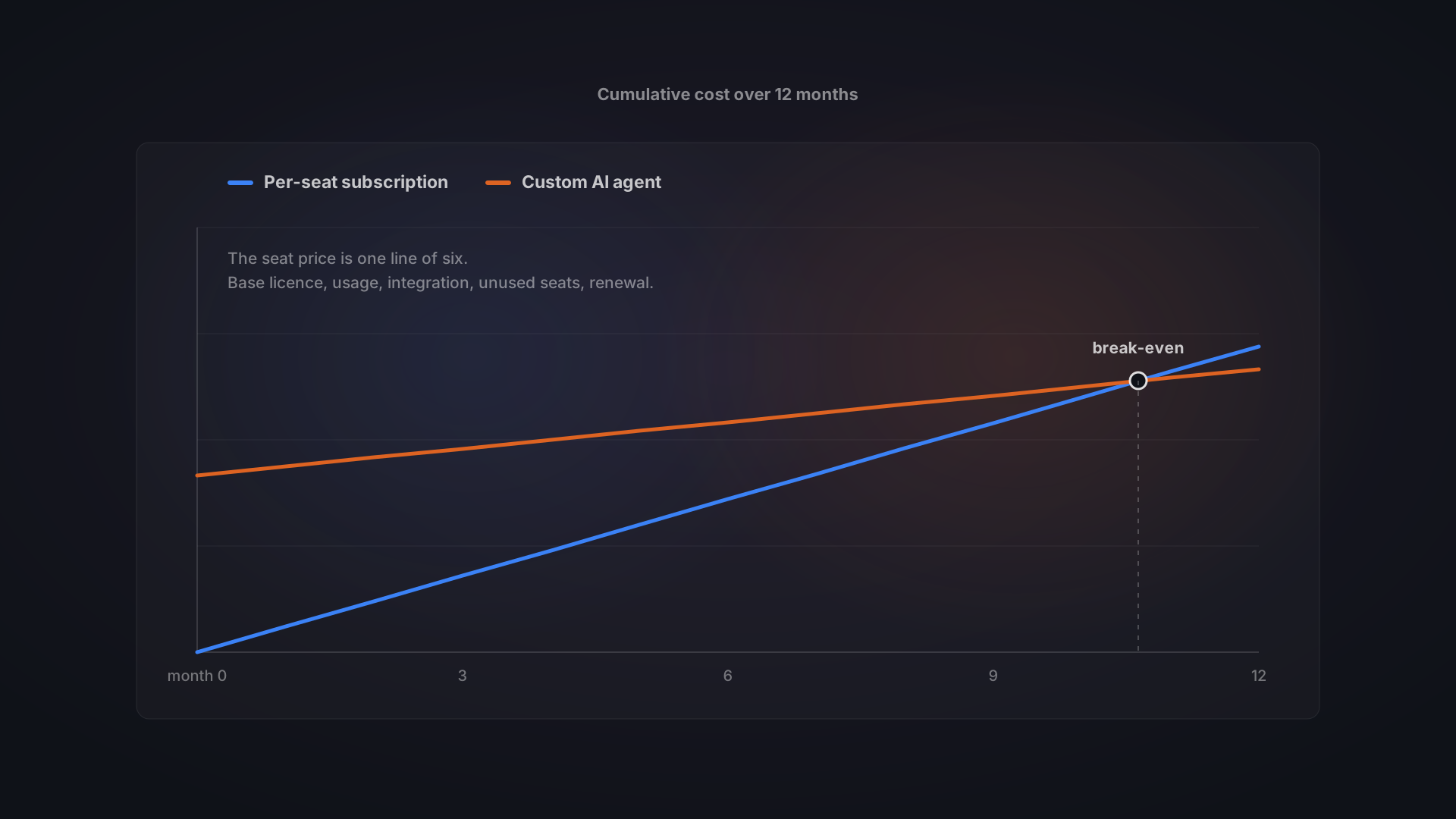
The pattern is the shape of the decision, not a verdict. Off-the-shelf front-loads nothing and back-loads everything. A custom build front-loads the cost and then flattens. Whether the lines cross inside 12 months depends on three things: how many seats you would buy, how much of the value comes from integration with your own systems, and how much of the work is a process rather than a person.
For the build side of that comparison in detail, we publish our own numbers in how much an AI agent costs, including the running cost that never shows up in a one-off quote.
Where a custom AI agent genuinely costs you money
An honest total cost of ownership has to be honest in both directions, so here is where the custom side of AI automation costs real money.
It costs more on day one, and that is not a rounding error. A focused automation starts from around 50,000 CZK in our own published pricing, and international 2026 figures put agents with real reasoning at $20,000 to $100,000. That is real money before anything works.
It has a running cost that never goes away. Every task the agent performs consumes model usage, hosting, and monitoring. The bill scales with volume, so a process that runs thousands of times an hour is not cheap just because you own the code.
It needs someone to own it. Models change, systems change, and an agent left alone for a year drifts. Budget maintenance the way you budget it for any other internal system.
It is slower to start. A subscription is live this afternoon. A build is weeks. When you are still proving that AI helps at all, that difference matters more than the money.
The break-even test you can run in ten minutes
You do not need a spreadsheet model to compare your AI automation total cost of ownership against a build. You need four numbers and a rough sense of your own time.
- Annual subscription cost. Seats you would actually buy, times monthly price, times 12. Add any base-plan upgrade the AI forces, and add your best guess at metered usage.
- Integration days either way. Estimate the developer days needed to connect the off-the-shelf tool to your systems. If that number is close to the days in a custom build, the tool's price advantage is smaller than it looks.
- One-off build cost. Get a scoped number for one process, not a platform.
- Monthly value. Volume times minutes saved per task, priced at a loaded hourly cost. Be conservative and use the volume you have today.
Then the payback, in months, is the one-off build cost divided by the monthly subscription you stop paying plus the monthly value, minus the agent's monthly running cost.
If that number lands inside 12 to 24 months, a build is worth quoting. If it does not, buy the seats and revisit in a year, which is a perfectly good answer. Our own guidance is unromantic about this: with a clear, measurable use case, most deployments reach positive return within 6 to 24 months, and the fastest payback comes from choosing the right first process rather than the cleverest technology. If you are not sure which process that is, start with which processes to automate with AI first.
Not sure which side of the line you are on? Tell us the process and the volume, and we will give you an honest build and running estimate, including when the answer is that you should keep the subscription. Talk to us about AI agents and automation.
When off-the-shelf wins on total cost of ownership
Plenty of the time it does, and the total cost of ownership says so plainly.
- Small teams. Under about ten users, per-seat fees stay small and a build rarely catches up inside a year.
- Standard work. Drafting, summarising, and meeting notes are the same everywhere. Nobody needs a custom version of that.
- You are still proving the case. Spend the smallest amount that tells you whether AI helps your business at all.
- The process is about to change. Building a system around a workflow you are already rethinking is how you pay twice.
The strongest position for most companies is not one or the other. Buy seats for the generic work, and build where the process is genuinely yours. That is the same conclusion we reach in our wider comparison of custom software against SaaS, and AI has not changed the underlying economics, only the size of the numbers.
Frequently asked questions
Is a custom AI agent cheaper than a subscription?
Not in year one. It pays off through ownership, fit, and the absence of per-seat fees that grow with your team. For a small team doing standard work, a subscription is usually the smarter start.
How do I estimate integration cost before I have quotes?
Count the systems the AI has to read from or write to, and assume each connection is a few days of work plus testing. Then ask any vendor you are considering which of those connections they support out of the box, and treat the rest as your cost either way.
What happens to my AI automation total cost of ownership if headcount drops?
A subscription shrinks with headcount, which is a genuine advantage of buying. A build does not, because you already paid for it. If your team size is volatile, weight that in favour of seats.
Do we have to choose one path?
No, and most companies should not. Use tools for the generic work and build for the process that is specific to your business. The comparison in this article is about where your money does the most work, not about picking a side.
The bottom line
The AI automation total cost of ownership is a 12-month number, not a monthly one. Price all six lines: seats, the base licence underneath them, metered usage, integration days, administration and idle seats, and the cost of leaving. Then compare that against a scoped build for one process, using the payback test above rather than a feeling.
Run those numbers and most companies find the honest answer to AI automation costs is a mix. Subscriptions for the work that looks the same in every company, and something built around the process that does not.
Tell us the process you want to automate and the volume it runs at, and we will give you an honest estimate of both paths, including the one where you keep the subscription. Get in touch and we will scope it with you.
Part of a topic guide