The average company spends $12 to $19 per invoice when processing manually. Yet 64% of finance teams cite "losing control" as their top concern about switching to automated invoice processing. That tension, the pain of doing it the expensive way versus the fear of handing it over to a system, is where most accounts payable modernization projects stall.
Here is the uncomfortable truth: manual processing is not the controlled, reliable process it feels like. It carries a 2–5% error rate. It depends on individual memory and email chains for approval routing. Duplicate payments slip through because there is no systematic detection. The average processing time for non-automated teams runs to 14–17 days per invoice. That is not control. That is organized chaos.
Properly designed invoice automation does not remove control. It creates control that manual processing never had: configurable approval workflows enforced consistently, exception queues that surface every anomaly before payment, and a complete audit trail for every invoice from receipt to posting. This article lays out a five-layer control framework for automating invoice processing, based on real implementation experience with an AI invoice processing pipeline handling 800+ invoices per month.
The Real Cost of Manual Invoice Processing
Manual invoice processing is expensive in ways that are easy to undercount. The headline cost per invoice, $12.88 to $19.83 according to 2026 APQC and Parseur benchmarks, includes data entry labor, approval coordination time, and error correction. But it excludes late payment penalties from slow processing, the cost of duplicate payment recovery, and the value of finance team time spent chasing approvals rather than doing analysis.
The throughput numbers are equally striking. An employee in a manual process handles around 6,082 invoices per year. The same workload in an automated system requires a fraction of that labor. Best-in-class automated teams achieve a cost of $2.36–$2.78 per invoice and a 3.1-day processing cycle. The gap between manual and automated benchmarks is not a rounding error. It is a structural cost difference.
The accuracy picture is worse still. Manual data entry generates 5–10% error rates on invoices, including duplicate payments, incorrect amounts, and wrong vendor or GL codes. Automated extraction with validation brings that down to 0.1–0.5%. Three-way matching, checking the invoice against the purchase order and goods receipt automatically, reduces invoice corrections by over 90%.
Despite this, only 8% of finance teams are fully automated in 2026, with 60–64% still partially or significantly manual. The bottleneck is not awareness of the problem. It is the fear of what happens to oversight when you automate. That fear deserves a direct answer.
Metric | Manual processing | Automated processing |
|---|---|---|
Cost per invoice | $12.88–$19.83 | $2.36–$2.78 |
Processing cycle | 14–17 days | 3.1 days |
Error rate | 2–5% | 0.1–0.5% |
Annual throughput per FTE | ~6,082 invoices | ~50,000+ invoices |
Duplicate detection | Inconsistent / manual | Systematic, pre-approval |
Approval routing | Email chains / memory | Configurable rules, enforced every time |
Audit trail | Partial / reconstructed | Complete, invoice to posting |
The 5-Layer Control Framework for Invoice Automation
The reason "losing control" is the wrong fear is that it frames automation as a single switch you flip: manual one day, automatic the next, oversight gone. Real invoice automation is a layered system, and each layer is explicitly designed to provide more control than the manual equivalent, not less.
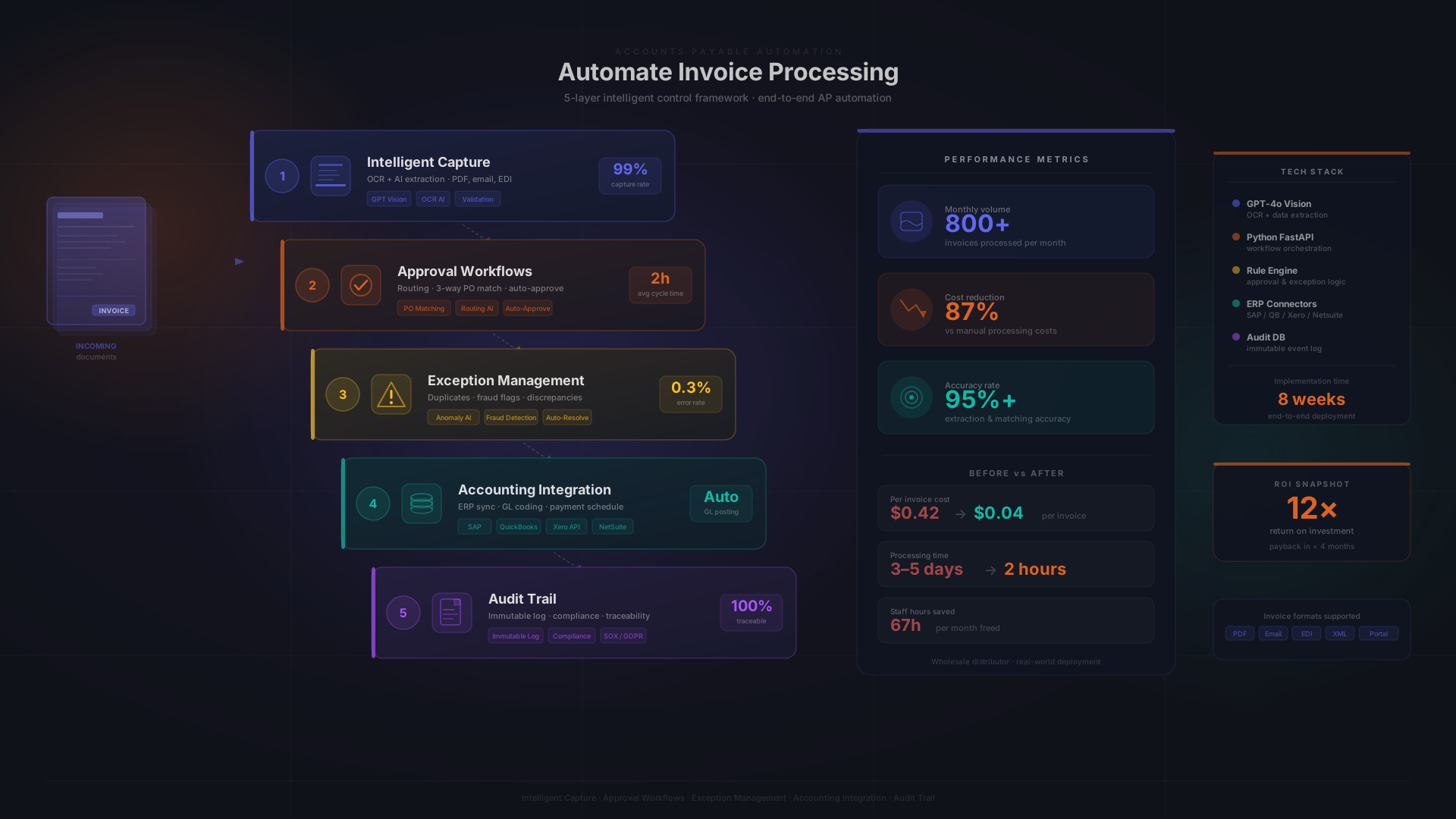
Layer 1: Intelligent Data Capture and Validation
The first layer is where the invoice enters the system. AI-powered data capture, using GPT vision models or similar multimodal approaches, extracts vendor name, invoice number, date, line items, VAT amounts, and bank details across any invoice format: PDFs, scanned documents, emails, EDI feeds, and even handwritten invoices. Modern AI agents achieve 97–98% field-level accuracy on header data, with the best production deployments reaching 99%+.
Extraction alone is not the control mechanism. Validation is. Once extracted, the data is automatically checked against vendor master records, purchase orders, and contracts. Three-way matching compares the invoice to the corresponding PO and goods receipt. Duplicate detection runs before any approval is triggered. The result: by the time a human touches an invoice, it has already been validated against your business rules, something that simply does not happen with manual entry.
In our client implementation, processing 800+ invoices per month from dozens of suppliers across varied formats, GPT vision achieved 95%+ extraction accuracy from day one, including on older scanned invoices with degraded image quality.
Layer 2: Configurable Approval Workflows
The approval layer is where most of the "control" conversation should actually focus. In a manual process, approval routing lives in people's heads and email inboxes. Who needs to approve a €15,000 services invoice? It depends on who is available, who remembers the policy, and whether the email gets buried. In an automated system, that policy is defined once and enforced every time.
Threshold-based routing is the standard design: invoices under a defined amount auto-approve after validation; mid-range invoices route to a single approver; large invoices require dual sign-off. Routing can be made dynamic based on cost center, department, project code, or vendor category. Segregation of duties is enforced at the system level: the person who enters a purchase order cannot be the approver of the resulting invoice.
Escalation rules handle edge cases: if an approver does not respond within a defined SLA, the invoice escalates to a delegate or manager. Mobile approval capabilities mean that approvals do not bottleneck when a manager is traveling. The principle is straightforward: define your approval policies once, and the system enforces them without exception. That is more consistent than any manual process.
Layer 3: Exception Management
This is the layer most automation implementations get wrong, and it is the most important one for maintaining control. Automation rates typically plateau because the invoices that cannot be automatically processed are systematically the hardest ones: services invoices without a matching purchase order, partial deliveries, price discrepancies, freight and tax variations, credits, and disputed items.
If your exception handling is "route to the inbox of the person who used to do it manually," you have not improved the hard cases. You have just automated the easy ones. Properly designed exception management categorizes exceptions by type, routes each category to the appropriate specialist, sets SLA timers, and provides full context: the original invoice document, the extracted data, the matched (or unmatched) purchase order, and the specific reason for exception.
Configurable tolerance thresholds are essential here. A 2% price variance on a €100 invoice is noise; a 2% variance on a €50,000 invoice is significant. Your exception rules should reflect that distinction. Fraud detection adds another layer: invoices from newly created vendors, mismatched bank details versus master records, or unusual patterns trigger automatic escalation regardless of amount.
In our production implementation, approximately 5–8% of invoices require human review. That is not a failure of automation. It is the design. The goal is not 100% automation. It is 100% control with maximum automation. The reviewers who handle those exceptions are better informed than they were when handling everything manually, because they see exactly what the system extracted, what matched, and what triggered the flag.
Layer 4: Accounting System Integration
Validated and approved invoices need to post to the general ledger correctly: right GL account, right cost center, right VAT code, right payment terms. Integration with your accounting system is what closes the loop between approval and payment, and it is where a significant amount of manual work currently lives for most teams.
For European businesses, this layer has specific complexity. Integration with Czech accounting systems like ABRA Flexi and Pohoda, which are not supported by most international AP automation tools, requires custom API work. The same applies to EU e-invoicing standards: ISDOC (Czech standard), UBL 2.1, and Peppol are relevant depending on your trading partners and jurisdictions. Our implementation achieves real-time posting to ABRA Flexi with a full audit trail, something no off-the-shelf AP tool currently does out of the box for the Czech market.
The ViDA directive is making accounting system integration increasingly urgent. Belgium mandated B2B e-invoicing in January 2026. France follows in September 2026. Poland in early 2026. Germany phases in from 2027. EU-wide B2B cross-border e-invoicing is required by July 2030. If your automation system cannot handle structured e-invoice formats, it will need to be rebuilt as these mandates take effect. Building for e-invoicing readiness now avoids that work later.
For ERP integration requirements that go beyond standard accounting systems, such as multi-entity consolidation, inter-company invoicing, or custom GL coding rules, the integration layer can be extended accordingly. The key requirement is that every posting is auditable: who approved it, what the original document contained, what transformation happened between extraction and posting.
Layer 5: Audit Trail and Reporting
The final layer is what makes every other layer defensible. A complete audit trail logs every action on every invoice: when it was received, what was extracted, what was validated and how, who approved it and when, what was posted to which account, and when payment was made. This is not optional. It is the foundation of financial compliance and the primary tool for internal controls review.
Real-time dashboards surface the metrics that matter: processing volume by period, average cycle time, exception rates by vendor or invoice type, approval bottlenecks, cost per invoice versus benchmark, and outstanding payment obligations. This level of visibility does not exist in manual processes. The data lives in email threads and spreadsheets, assembled laboriously for monthly closes.
GDPR compliance is handled at this layer too: invoice data containing personal information (vendor contacts, payment details) must be transmitted encrypted, stored with access controls, and retained according to legal requirements while remaining deletable upon legitimate request. Automating the audit trail is also automating your GDPR compliance posture.
Real Results: 800+ Invoices Per Month, 87% Cost Reduction
The five-layer framework above is not theoretical. Bitvea built and operates an AI invoice processing pipeline that processes 800+ invoices per month for a mid-size client whose finance team was previously overwhelmed by the manual workload.
The situation before implementation was typical: a three-person finance team spending the majority of their time on data entry and approval chasing, average processing times exceeding 17 days, frequent late payment penalties from suppliers, and no systematic duplicate detection. The client was using ABRA Flexi for accounting, a system that none of the standard international AP automation tools support.
The solution was a custom AI pipeline: GPT vision for multimodal data extraction, configurable approval workflows with threshold-based routing and mobile approval, exception management queues with SLA tracking, and direct real-time API integration with ABRA Flexi for automated posting. The full invoice processing case study covers the implementation in detail.
The results after three months:
- 87% reduction in invoice processing costs: from manual-processing benchmarks to best-in-class automated range
- 95%+ data extraction accuracy across all invoice formats, including scanned and handwritten documents from dozens of suppliers
- Processing time from weeks to hours: invoices that previously took 17+ days now process in under 24 hours for standard cases
- 5–8% exception rate requiring human review, with each exception surfaced with full context for faster and better-informed decisions
- Full audit trail from receipt to payment, with real-time posting to ABRA Flexi and GDPR-compliant data handling
- 6–9 month payback period for a typical SMB at this volume, consistent with Forrester's finding of 111% ROI on AP automation with sub-6-month payback
The finance team's experience of control improved, not deteriorated. They have a real-time dashboard that manual processing never provided. They review exceptions with full context rather than re-entering data from scratch. They can answer auditor questions about any invoice in seconds rather than hours of email archaeology.
Custom-Built vs. Off-the-Shelf Invoice Automation: When to Choose What
Not every business needs a custom-built invoice processing pipeline. Off-the-shelf AP automation tools such as Klippa, Rossum, Rillion, HighRadius, and others are competent products that work well in the right conditions. The same question comes up on the outbound side, where a custom invoicing system competes with Fakturoid or iDoklad. Understanding when each approach makes sense is the honest starting point.
When Off-the-Shelf Is Enough
- Standard invoice formats from a small number of suppliers
- Your accounting system (QuickBooks, Xero, SAP, NetSuite) has native integrations with the AP tool
- Simple approval workflows with one or two approvers and low invoice volume
- Under 200 invoices per month: at this volume, per-invoice SaaS pricing is manageable
- No unique business rules or cross-border VAT complexity
When Custom-Built Makes More Sense
- You use Czech or regional accounting software (ABRA Flexi, Pohoda, Money S3) that off-the-shelf tools do not integrate with natively
- High volume (500+ invoices/month) where per-invoice SaaS pricing compounds significantly
- Complex invoice formats from diverse suppliers across multiple countries, languages, and formats
- GDPR and data sovereignty requirements that require keeping invoice data on your own infrastructure
- Unique validation rules, multi-entity processing, or industry-specific compliance requirements
- Multiple intake channels, such as email, EDI, supplier portal, or paper, requiring unified processing under one pipeline
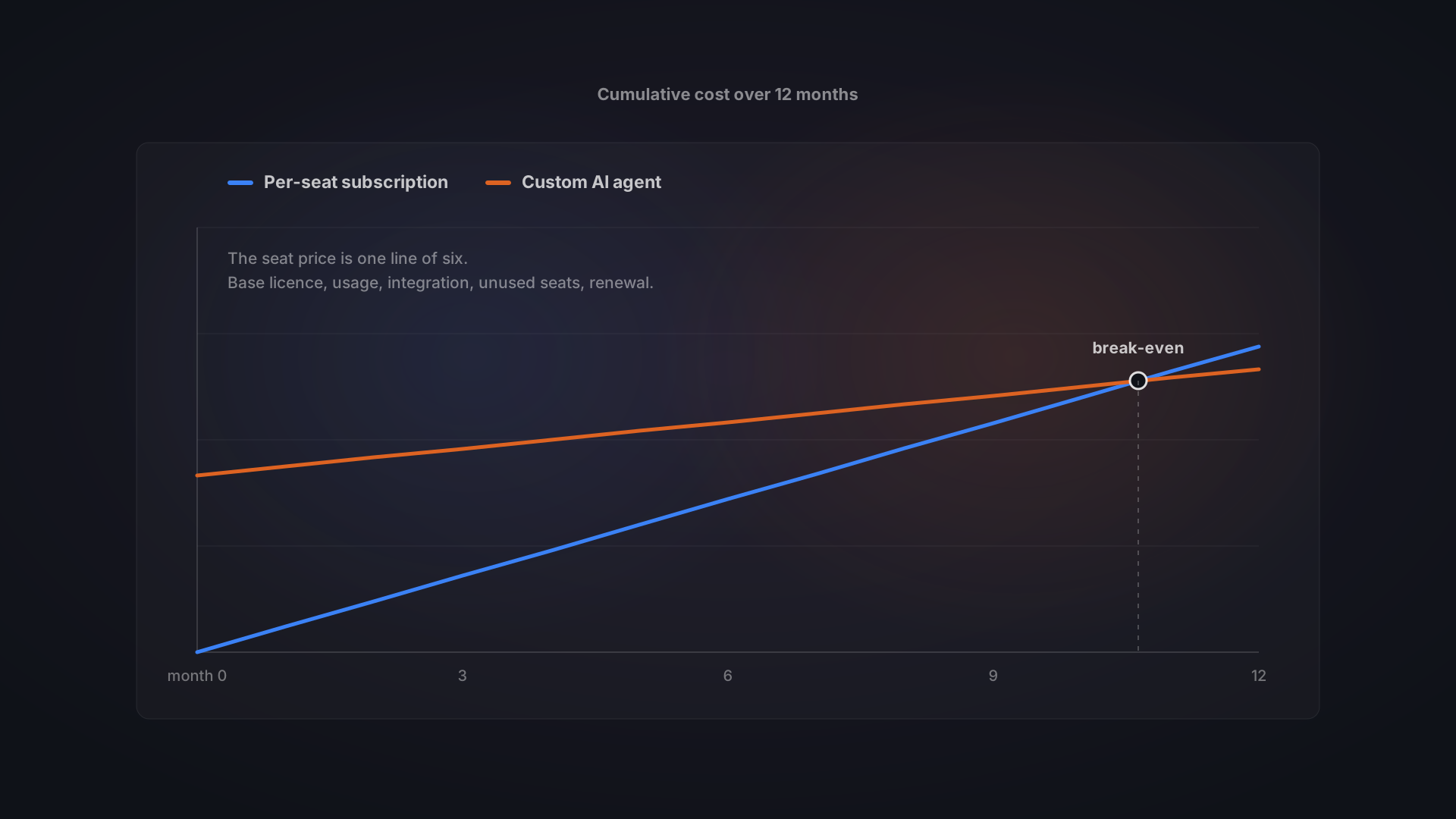
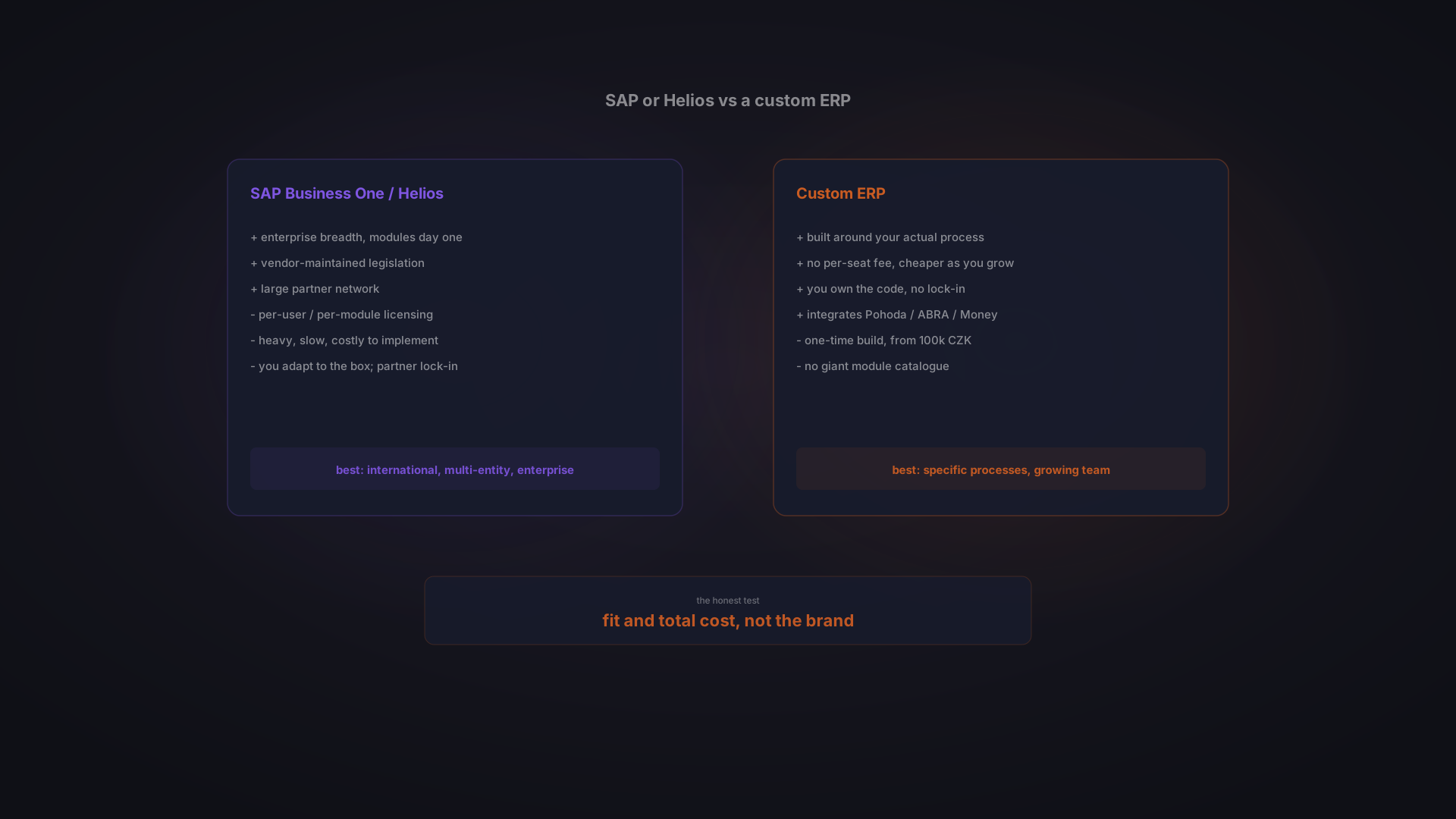
The custom vs. off-the-shelf decision is also a total cost question. At 200 invoices per month with standard accounting software, a SaaS tool at $0.50–$2.00 per invoice is cost-effective. At 800 invoices per month with a system that requires custom integration anyway, a custom pipeline built once and owned outright is structurally cheaper over any reasonable time horizon, and delivers better fit. For a detailed comparison, see our guide on why custom software beats SaaS for growing businesses.
How to Get Started: A Practical Implementation Roadmap
Automating invoice processing follows a clear sequence. Understanding the steps helps set realistic expectations and avoid the mistakes that cause most implementations to fail, particularly the mistake of skipping exception handling design.
Step 1: Audit Your Current Process
Map the complete invoice lifecycle: how invoices arrive (email, paper, portal, EDI), who touches them at each step, what the actual average processing time is, what your current error and exception rates look like, and where the bottlenecks are. The goal is a baseline: you cannot measure improvement without one. Most finance teams discover, during this audit, that their actual cost per invoice is significantly higher than they assumed.
Step 2: Define Your Control Requirements Before Choosing Technology
Document your approval thresholds and routing rules in detail. Define what triggers a manual exception: what types of discrepancy, what variance tolerances, what vendor flags. Establish your segregation of duties requirements. Specify your audit trail obligations: for tax authorities, for internal audit, for GDPR. This documentation becomes the specification for your automation system, whether off-the-shelf or custom. Skipping this step is the most common reason implementations fail to maintain control.
Step 3: Pilot on a Manageable Scope
Start with one vendor category, one department, or one invoice type that represents your most common, most standardized scenario. Measure the results against your baseline. Gather feedback from the finance team who will use the system daily: their adoption is not optional, and a system they resist will fail regardless of technical quality.
Step 4: Build Exception Handling Before Scaling
This is the step most implementations skip, and the reason most fail to actually maintain control. Exception queues, escalation paths, tolerance thresholds, and reviewer workflows must be designed and tested before you expand volume. If you scale before exception handling is solid, you will overwhelm your reviewers with poorly contextualized exceptions, which is worse than the manual process you replaced.
Step 5: Scale and Continuously Optimize
Expand to additional invoice types, departments, and entities once the pilot is stable and exception handling is mature. Use exception analytics, such as which vendors cause the most exceptions or which invoice types have the highest variance rates, to continuously refine your automation rules and tolerance thresholds. Connect invoice processing to upstream procurement and downstream payment workflows to close the full AP loop.
Automation Gives You More Control, Not Less
The fear that drives most invoice automation hesitation, losing visibility, losing oversight, losing the ability to catch problems, is a legitimate concern applied to the wrong target. Manual AP processing is the control risk. A 2–5% error rate, duplicate payments with no systematic detection, approval routing that lives in people's inboxes, and processing times that stretch to 17 days are not a controlled environment. They are a high-friction, high-error environment that feels controlled because humans are touching every invoice.
The five-layer framework, intelligent data capture, configurable approval workflows, systematic exception management, accounting system integration, and complete audit trails, provides more control than manual processing ever could. Every policy is enforced consistently. Every exception is surfaced with context. Every invoice is auditable from receipt to payment.
The goal is not 100% automation. It is 100% control with maximum automation. When you design it that way, the 5–8% of invoices that require human review get better decisions, because the reviewer has full context rather than starting from scratch.
Our client processing 800+ invoices per month achieved an 87% cost reduction and 95%+ accuracy, and their finance team's experience of control improved, not deteriorated. That is what well-designed automated invoice processing looks like.
Bitvea builds custom invoice processing automation that integrates with ABRA Flexi, Pohoda, and other accounting systems your business actually uses. If your finance team is spending more time on data entry than on analysis, let's talk about what automation looks like for your volume and systems.