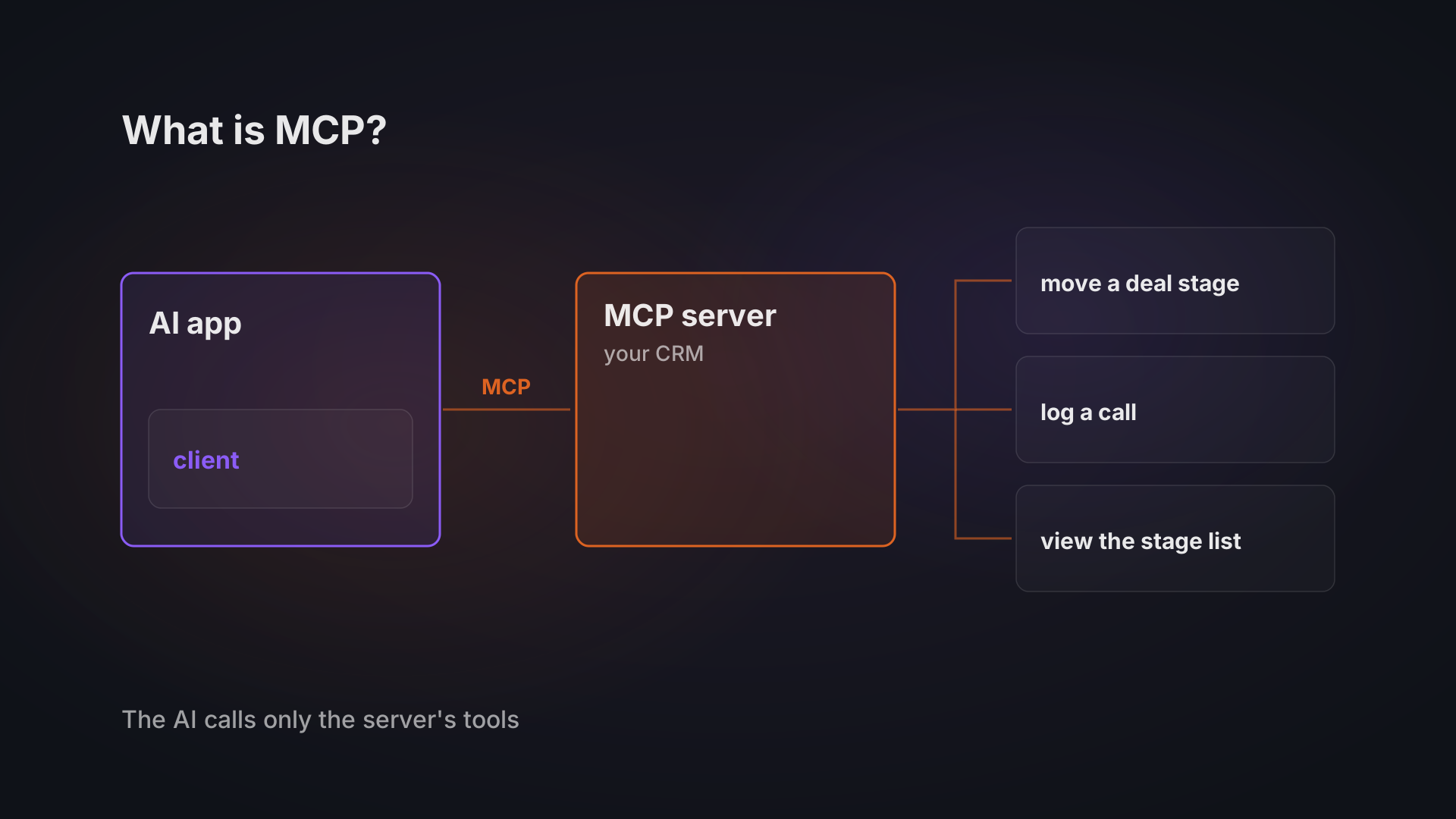
What is MCP? MCP, the Model Context Protocol, is an open standard that lets an AI assistant such as Claude or ChatGPT use the tools of another system, your CRM, your helpdesk or a database, through one common interface instead of a separate integration for every AI tool.
We have built with it twice. I wrote a small MCP server for my car's diagnostic port, and Bitvea CRM, our own CRM, has an MCP server whose tools follow the user's role. The facts about the protocol below come from public sources, the MCP specification and the project's own blog; the examples are ours.
How MCP works: host, client and server
MCP has three roles, and the specification names them:
- Host: the AI application you work in, such as Claude.ai or a code editor with an assistant.
- Client: the connector inside that application that holds one connection.
- Server: the service on the other side that offers data and actions, for example your CRM.
A server can offer three kinds of things. Resources are data the user or the model can read. Prompts are message templates a user picks. Tools are functions the model itself runs, and they are what most business uses come down to.
The idea is borrowed from the Language Server Protocol, which gave code editors one way to support any programming language. MCP does the same for AI applications: a system that speaks MCP once can be used by any assistant that speaks it too.
The connection runs on your computer or over the network. The standard transports are stdio, where the AI application starts the server as a local program, and Streamable HTTP, where each message is a request to one web address. Our CRM's server does both: a remote address for daily use, and a local process for development.
What can an AI do through MCP in a company?
Through MCP an AI can do what the server's tools allow, and nothing more. The specification on tools gives querying databases and calling APIs as examples, and the model decides when to call a tool from what you asked it.
In our CRM the tools are grouped by module. Two lines from its tool list:
- Deals: manage deals and move them between pipeline stages.
- Activities: log and manage calls, meetings and emails.
Take a salesperson at a 30-person firm; this is a worked example rather than a client case. Asking the assistant to "log today's call with the supplier and move the deal to negotiation" becomes two tool calls it makes on their behalf. Which tools it gets depends on the permissions of the user role it connects as.
Software vendors ship servers for their own products too. The project's first-anniversary post names Notion, Stripe and GitHub among them.
The same specification says there should always be a person who can refuse a tool call. How strictly that happens depends on the AI application you use.
One server, many AI tools
A standard pays off when you connect a system once and use it from more than one place. Our CRM shows what that looks like. In Claude.ai you are sent to log in and authorise access, with no key to copy. Developer tools such as Claude Code and Cursor connect to the same server with an API key instead, and the CRM server then shows up in both.
Neither route needs a second integration. When a team moves from one assistant to another, the server stays where it is.
The list of assistants that speak MCP is long. When Anthropic donated MCP to the Agentic AI Foundation under the Linux Foundation on 9 December 2025, the project listed client support in ChatGPT, Claude, Cursor, Gemini, Microsoft Copilot and Visual Studio Code. The foundation was co-founded by Anthropic, Block and OpenAI, so the protocol does not belong to one AI vendor.
Why named tools beat pasting data into a chat
Named tools make each step of an AI's work traceable, and data pasted into a chat does not.
When I connected Claude to my car, Claude did not get arbitrary access to my laptop or the car. It got a small set of named tools: list modules, read fault codes, explain one code, fetch freeze-frame data. That was the entire interface. The server itself is about 250 lines of Python.
Every step was visible to me: the request Claude made, the data the adapter sent back, and the source of each explanation.
Pasting an export into a chat gives you none of that. You do not know which rows the model read, and a colleague cannot repeat the steps.
What MCP does not decide for you
MCP leaves the question of who may do what to you. It describes how an assistant and a system talk, and nothing more. The specification says so itself: MCP cannot enforce its security principles at the protocol level, so the applications and servers that use it have to.
Even login is optional. The authorization section makes it optional for MCP implementations, and a server that offers it over HTTP should follow a flow based on OAuth 2.1. A server without it still speaks MCP.
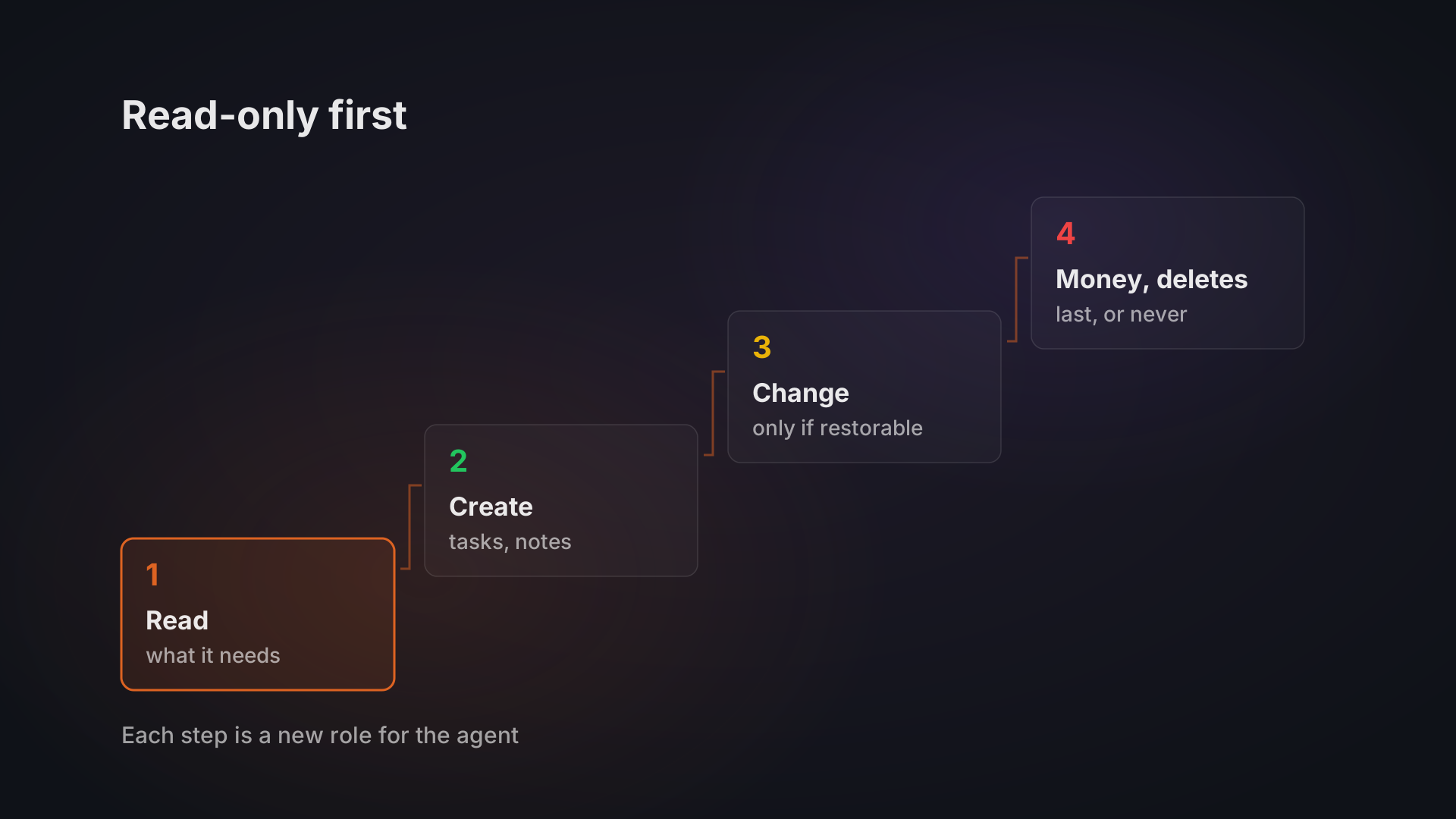
So the question to ask whoever connects an AI to your systems is where the permissions live. In our CRM the answer is the role: the assistant's access over MCP is the access of the user role it connects as. What that role should be allowed to read and change, and in what order to widen it, is a separate decision, covered in what an AI agent may touch in your CRM and ERP.
Does your company need an MCP server?
You need your own MCP server only when the system you want an AI to use does not come with one. So start with the systems you already pay for. If the vendor ships an MCP server, connecting an assistant is a settings change, not a development project.
If the system is custom or built in-house, someone has to write the server. It can be small: a server with a handful of read-only tools is a short program. A server for a business system takes more work, because it needs logins and roles, and those decide what the AI may do.
If no AI assistant needs the data, you may not need MCP at all, and a direct integration between two systems is the simpler choice. What an AI agent is helps you judge whether an assistant is the right tool in the first place.
If you want an AI assistant to work with one of your systems, tell us which one and what it should do. Our AI agents work starts from 80,000 CZK.