You should replace Excel with a custom system when the spreadsheet has stopped being a tool and become a risk: several people edit it at once, one wrong cell breaks a report, and nobody is sure which file is the current one. Until then, Excel is often the right answer. The skill is knowing where that line is.
Almost every business process starts life in a spreadsheet. Orders, inventory, a simple CRM, a production plan. Excel is fast, free, and everyone knows it. Then the business grows, and the same file that got you here quietly turns into the thing holding you back.
This guide covers the signs you have outgrown spreadsheets, what a broken-in Excel actually costs, what to replace it with, and how to move across without losing data or stopping work.
Key takeaways
- Replace Excel when multiple people edit it at once, errors are hard to trace, or the process has outgrown a grid of cells.
- The real cost of a broken-in spreadsheet is hidden: manual hours, silent errors, no audit trail, and version chaos.
- Your options are another SaaS tool, a custom system, or keeping Excel for what it is genuinely good at.
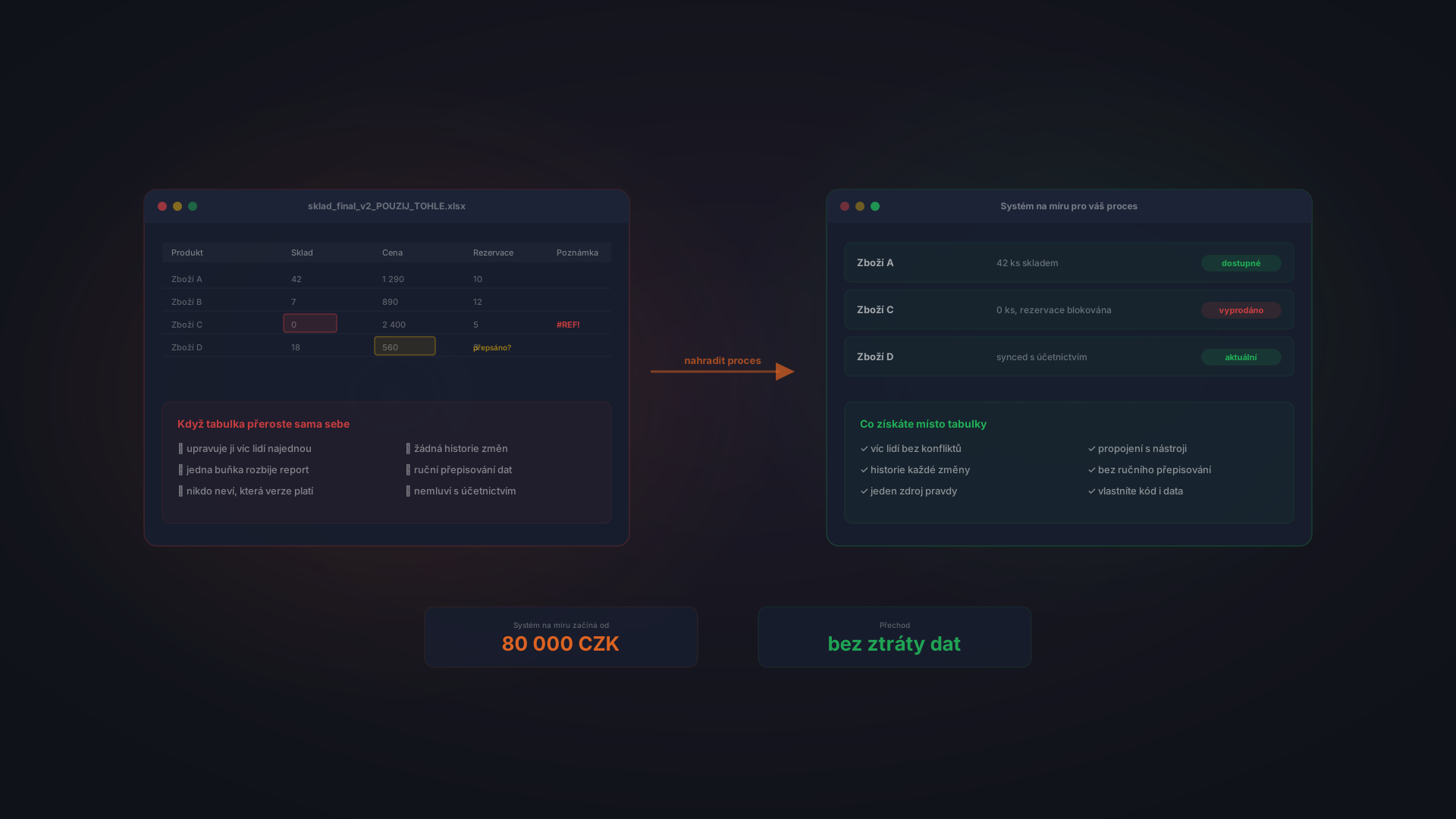
- A custom system to replace a spreadsheet starts around 80,000 CZK and is built around your exact process.
- The safe way to switch is in phases, keeping Excel as a fallback until the new system proves itself.
When Excel Stops Being Enough
Excel is not the problem. Using Excel for a job it was never meant to do is. Here are the signals that a spreadsheet has outgrown itself.
- Several people need it at once. You are emailing files around, or fighting over who has it open. Shared editing helps, but conflicts and overwrites still happen.
- One wrong cell breaks everything. A deleted formula or a mistyped number quietly corrupts a report, and you find out weeks later.
- Nobody knows which file is current. "final", "final_v2", "final_USE_THIS" all exist. Version chaos.
- The same work is done by hand every week. Copy-pasting between sheets, reformatting, re-sending. Time that a system would just do.
- You cannot see who changed what. No audit trail, no history, no accountability when a number is wrong.
- It cannot talk to your other tools. Your accounting, e-shop, or CRM cannot read the spreadsheet, so data gets re-typed.
One or two of these is normal. Four or more, every week, means the spreadsheet is now a liability, not a tool.
What a Broken-In Excel Actually Costs
A spreadsheet looks free. The cost is real, it is just hidden across the week rather than shown on an invoice.
Manual hours. Every export, reformat, and re-send is time. One person spending an hour a day on spreadsheet plumbing is roughly a full working month lost every year.
Silent errors. Studies of business spreadsheets consistently find that the large majority contain errors. In a pricing or inventory sheet, one wrong cell can cost real money before anyone notices.
No audit trail. When a number is wrong, you cannot see who changed it or when. In a regulated or financial context, that is not just annoying, it is a risk.
When Jana ran her distribution business on a shared stock spreadsheet, one salesperson overwrote the wrong column on a Friday. By Monday the team had promised stock that did not exist to three customers. The spreadsheet did not cost her a subscription. It cost her a week of firefighting and one apologetic phone call too many.
What to Replace Excel With
There is no single right answer. There are three, and which fits depends on how specific your process is.
Another off-the-shelf tool
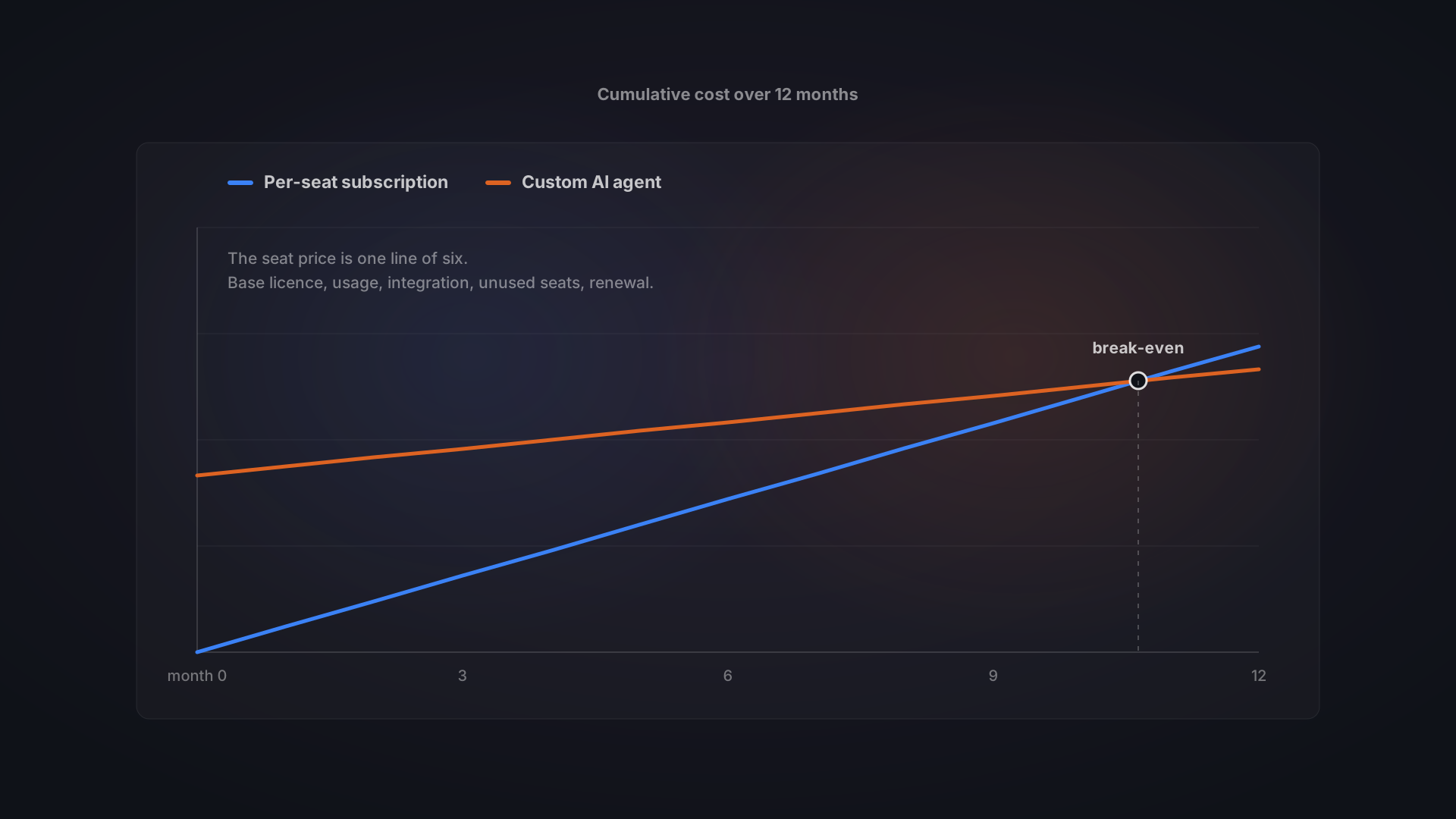
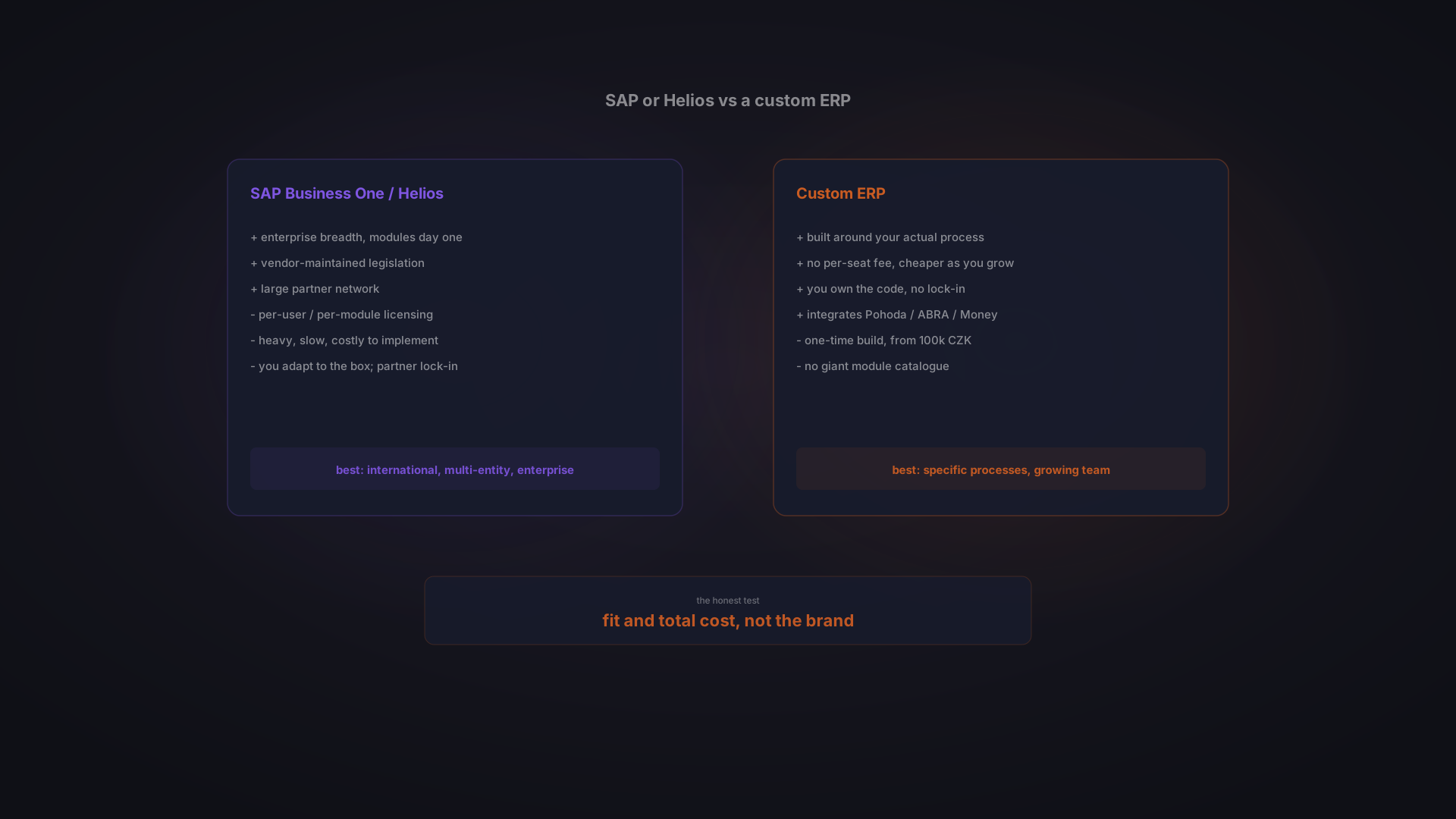
If your process is standard, a SaaS tool may fit: a ready CRM, an inventory app, a project tool. Fast to start, low upfront cost. The catch is you adapt your process to the tool, and you pay per user forever. If a spreadsheet outgrew a generic shape, a generic tool may too.
A custom system
If the spreadsheet grew precisely because your process is specific, a custom system is built around how you actually work. You own it, there are no per-user fees, and it connects to your other tools. It is a bigger upfront investment, starting around 80,000 CZK for a focused system. See how much custom software costs for the full pricing picture and custom software vs SaaS for the five-year math.
Keep Excel for what it is good at
Excel is excellent for one-off analysis, quick modelling, and throwaway calculations. The mistake is running a shared, ongoing, multi-person process in it. Replace that process, and keep Excel on your desktop for the ad-hoc work it does best.
How to Know It Is Time for a Custom System
A custom system is the right replacement when several of these are true:
- The process is core to your business and unlikely to change vendors away.
- It is specific enough that no off-the-shelf tool fits without workarounds.
- Multiple people rely on the same data at the same time.
- It needs to connect to your accounting, e-shop, or other systems.
- Errors in it have a real cost, in money, time, or trust.
If that sounds like you, the article on signs your business has outgrown its tech stack goes deeper on the decision.
How the Switch Works Without the Risk
The fear with replacing a spreadsheet is losing data or stopping work mid-switch. A good migration avoids both by moving in phases.
- Map the real process. How the spreadsheet is actually used, including the informal rules in people's heads. This is the cheapest, highest-return step.
- Build the first slice. Replace the most painful part first, not everything at once. A working slice beats a perfect plan.
- Migrate the data. Import the existing spreadsheet, clean it, and validate it. Nothing is thrown away.
- Run both in parallel. Keep Excel as a fallback for a short while, so the team trusts the new system before the old one is retired.
- Expand from there. Add the next slice once the first proves itself, funded by the time it already saves.
Which processes to move first, and which to automate, is worth planning deliberately. Our guide on which processes to automate first helps you pick.
Frequently Asked Questions
When should I replace Excel with a custom system?
When the spreadsheet has become a shared, ongoing, multi-person process rather than a personal calculation: several people edit it at once, errors are hard to trace, versions multiply, and it cannot connect to your other tools. Until then, Excel is often the right and cheapest choice.
What should I replace Excel with?
One of three things: an off-the-shelf tool if your process is standard, a custom system if the process is specific to how you work, or keeping Excel for one-off analysis while replacing only the shared ongoing process. The more specific your workflow, the more a custom system pays off.
How much does it cost to replace Excel with custom software?
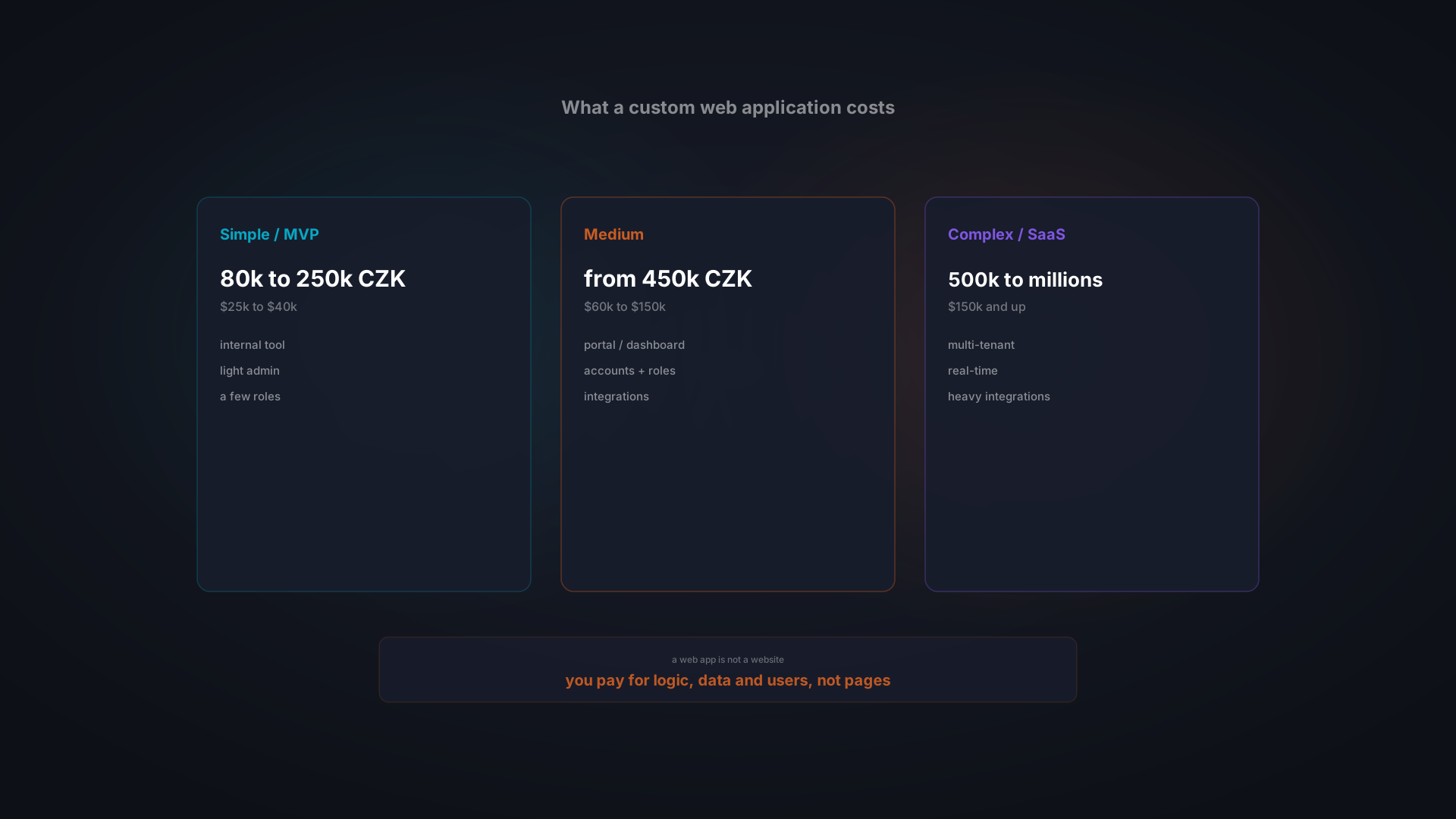
A focused custom system that replaces a spreadsheet-based process starts around 80,000 CZK, plus a small yearly running cost. The exact price depends on how many features, integrations, and users it needs. A replacement like this is almost always a browser-based tool, so the tiers in our web application cost guide apply to it as well. See our custom software pricing guide for the full breakdown.
Is it not better to buy a ready SaaS tool than build custom?
If your process is standard, yes, a SaaS tool is faster and cheaper to start. But if a spreadsheet outgrew a generic shape, a generic tool often will too, and you adapt your work to it while paying per user forever. A custom system fits your process and you own it.
Will we lose our data when moving off Excel?
No. A proper data migration imports the existing spreadsheet, cleans and validates it, and keeps Excel running in parallel as a fallback until the new system is trusted. Nothing is thrown away, and there is no gap where work stops.
Do we have to stop using Excel completely?
No. Excel is excellent for one-off analysis, modelling, and quick calculations. You replace the shared, ongoing process that outgrew it, and keep Excel on the desktop for the ad-hoc work it does best.
Conclusion: Replace the Process, Not the Tool
Excel is not the enemy. Running a growing, shared, business-critical process inside a spreadsheet is. The moment errors, version chaos, and manual hours start costing more than the tool saves, it is time to move that process into a system built for it.
You do not have to replace everything at once, and you do not have to lose a single row of data. Move the most painful process first, keep Excel as a fallback, and expand from there.
**Wondering whether your spreadsheet has outgrown itself? Tell us about it.** Describe how you use it today and we will show you what a system built for that process would look like.